Smart Home Devices Worth Buying in 2026: The Complete Guide to Building Your Intelligent Home
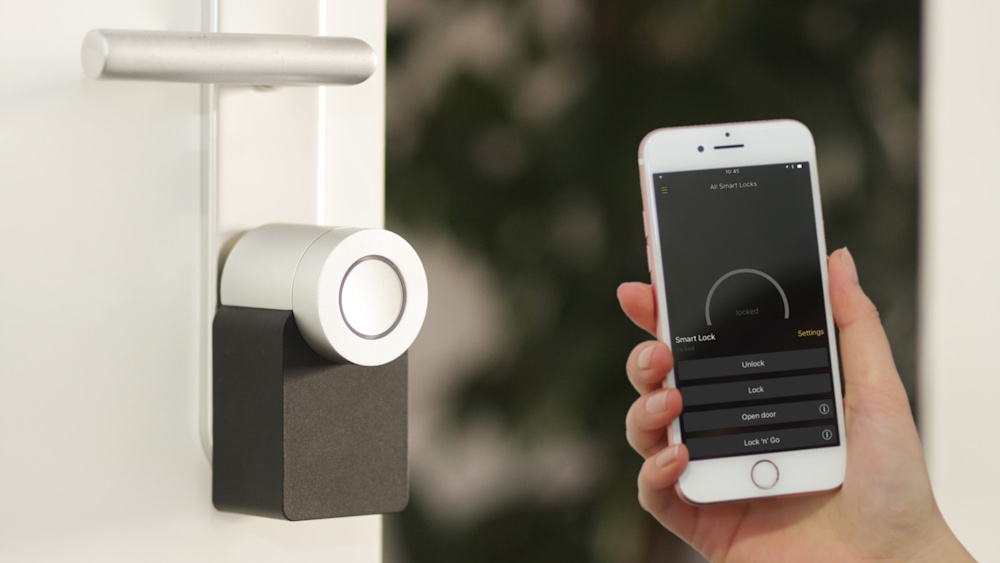
Table of Contents
- Introduction: The Smart Home Revolution
- Understanding Smart Home Technology
- Smart Speakers and Voice Assistants
- Smart Lighting Systems
- Smart Security Devices
- Smart Climate Control
- Smart Plugs and Power Management
- Smart Entertainment Systems
- Smart Kitchen Appliances
- Smart Home Hubs and Integration
- Installation and Setup Guide
- Privacy and Security Considerations
- Building Your Smart Home on a Budget
- Conclusion
- FAQ
Introduction: The Smart Home Revolution Has Arrived
Walk into your home and the lights automatically adjust to your preferred brightness. Your thermostat has already warmed the house to your ideal temperature, anticipating your arrival. Your favorite music begins playing as you enter, and your coffee maker starts brewing without you lifting a finger. Security cameras have been monitoring your property all day, and you received alerts on your phone about every delivery. Your door locks itself behind you, your blinds close for privacy, and your evening routine begins—all orchestrated by invisible technology working seamlessly in the background.
This isn’t science fiction. This isn’t a luxury reserved for tech billionaires with unlimited budgets. This is the reality of smart home technology in 2026, and it’s more accessible, affordable, and practical than ever before. The smart home market has exploded from a niche curiosity into a mainstream necessity, with the global market projected to reach $174 billion by 2026, representing over 350 million connected homes worldwide.
The transformation happening in modern homes is profound. According to recent surveys, approximately 69% of American households now own at least one smart home device, up from just 29% five years ago. The average smart home contains 11 connected devices, and that number continues growing as prices fall, compatibility improves, and usefulness becomes undeniable. What began with simple smart bulbs and thermostats has evolved into comprehensive ecosystems controlling every aspect of home life—lighting, climate, security, entertainment, appliances, and beyond.
But here’s the challenge that stops most people: overwhelming choice combined with confusion about what actually matters. Walk into any electronics store or browse online retailers, and you’ll encounter thousands of smart home devices, each promising to revolutionize your life. Smart toothbrushes, smart mirrors, smart trash cans, smart plant monitors, smart pet feeders—the list becomes absurd. Some devices genuinely improve daily life in meaningful ways. Others are expensive gimmicks providing marginal value while adding complexity, security vulnerabilities, and frustration.
While the following demonstration highlights smart home devices, much more information and smart home technology strategies can be found below this article that you may not have known before.:
The basic questions that some people interested in smart home technology are expected to face are clear and straightforward:: Which devices actually provide real value? Which investments improve daily life enough to justify their cost? Which technologies have matured beyond early-adopter experimentation into reliable, proven solutions? Which ecosystems and brands offer the best combination of functionality, reliability, compatibility, and long-term support? How do you build a smart home that enhances life rather than complicating it?
This comprehensive guide answers those questions definitively. We’ve analyzed hundreds of smart home devices across every category, evaluated real-world performance beyond marketing claims, assessed long-term reliability and company track records, compared ecosystems and compatibility considerations, and identified the genuine innovations that separate meaningful upgrades from expensive distractions.
Whether you’re taking your first steps into home automation with a single smart device or building a comprehensive connected home ecosystem, whether you’re working with a modest budget or investing significantly in premium solutions, whether you prioritize convenience, security, energy efficiency, or entertainment—this guide provides the information you need to make intelligent purchasing decisions that you’ll appreciate every single day for years to come.
We’ll explore the foundational devices that form the backbone of any smart home—the purchases that provide the highest return on investment and enable future expansion. We’ll examine specialized devices addressing specific needs and preferences—security-focused solutions, energy-saving technologies, entertainment upgrades, and convenience features. We’ll discuss ecosystem considerations—how different platforms (Amazon Alexa, Google Home, Apple HomeKit, Samsung SmartThings) compare and which best suits your needs, devices, and preferences.
You’ll learn practical installation and setup strategies that save time and prevent frustration, privacy and security best practices protecting your home and data from vulnerabilities, budget-conscious approaches building smart home functionality without financial strain, and troubleshooting guidance addressing common issues before they become major problems.
The smart home revolution isn’t coming—it’s here, it’s accelerating, and it’s more accessible than ever. The only question is whether you’ll participate actively, building a connected home tailored to your specific needs and preferences, or watch from the sidelines as this technology becomes as fundamental to modern life as electricity and running water once were.
Your journey toward a more convenient, efficient, secure, and enjoyable home starts right here, right now. Let’s build your intelligent home together.
1. Understanding Smart Home Technology: The Foundation of Connected Living
What Makes a Device “Smart”?
The term “smart” gets applied to virtually every modern appliance and gadget, but what actually makes a device intelligent rather than just electronic? True smart devices share several defining characteristics that separate them from traditional electronics with basic features and remote controls.
Connectivity: Smart devices connect to your home network, typically via Wi-Fi, Bluetooth, Zigbee, or Z-Wave protocols. This connectivity enables remote control from smartphones, tablets, or computers regardless of your physical location. You can adjust your thermostat from the office, check security cameras while on vacation, or turn off lights you forgot about after leaving home. Connectivity transforms localized devices into globally accessible systems.
App Control: Dedicated smartphone applications provide interfaces for monitoring, controlling, and configuring smart devices. These apps replace physical controls with digital interfaces offering far more functionality, customization, and information than traditional switches, dials, or buttons. Quality apps are intuitive, responsive, fast, and feature-rich, while poor apps frustrate users and undermine otherwise capable hardware.
Automation: Perhaps the most defining characteristic of smart devices is their ability to perform actions automatically based on triggers, schedules, or conditions. Smart lights turn on at sunset. Smart thermostats adjust temperatures based on occupancy patterns. Smart locks secure doors at bedtime. Smart cameras begin recording when motion is detected. This automation eliminates repetitive manual tasks, creating convenience and efficiency impossible with traditional devices.
Integration: Smart devices communicate with other smart devices, creating coordinated actions across your home ecosystem. When your smart doorbell detects someone at the front door, it can trigger your smart lights to turn on, your smart speaker to announce the visitor, and your smart display to show the camera feed. This integration multiplies the value of individual devices by enabling them to work together seamlessly.
Learning and Adaptation: Advanced smart devices use artificial intelligence and machine learning to understand your patterns, preferences, and routines, adapting their behavior accordingly without manual programming. Smart thermostats learn your temperature preferences throughout the day and seasons. Smart lights adjust brightness based on ambient light and time of day. Smart speakers recognize individual family members’ voices and provide personalized responses. This adaptive intelligence makes devices increasingly valuable over time.
Voice Control: Integration with voice assistants (Amazon Alexa, Google Assistant, Apple Siri) enables hands-free control through natural language commands. Instead of finding your phone, opening an app, navigating menus, and adjusting settings, you simply say “turn off the living room lights” or “set the temperature to 72 degrees.” Voice control is particularly valuable when your hands are full, you’re cooking, caring for children, or simply relaxing and don’t want to interact with screens.
Data and Insights: Smart devices collect data about their usage, your home environment, and your behavioral patterns, presenting insights that help you understand and optimize various aspects of home life. Smart energy monitors show which appliances consume the most electricity. Smart security systems provide detailed activity logs. Smart sleep trackers analyze your rest quality. This information empowers better decisions about energy usage, security practices, and lifestyle habits.
The Three Smart Home Ecosystem Giants
The smart home industry has largely consolidated around three major ecosystems, each with distinct strengths, weaknesses, and philosophies. Understanding these platforms is crucial because your choice significantly impacts device compatibility, feature availability, ease of use, privacy considerations, and long-term satisfaction.
Amazon Alexa Ecosystem
Amazon entered the smart home market with Echo smart speakers and Alexa voice assistant, quickly becoming the dominant platform with the widest device compatibility, most extensive third-party integrations, and largest user base.
Strengths:
- Broadest device compatibility—virtually every smart home manufacturer supports Alexa
- Most affordable entry point with Echo Dot devices under $30
- Excellent voice recognition and natural language processing
- Massive selection of “Skills” (third-party app integrations) enabling diverse functionality
- Strong integration with Amazon services (shopping, music, video)
- Regular updates and feature additions
Weaknesses:
- Privacy concerns regarding Amazon’s data collection and usage
- Inconsistent quality across different Echo devices
- Some features require Amazon Prime membership for full functionality
- Interface can feel cluttered with commercial integrations and advertisements
Best For: Budget-conscious users, those heavily invested in Amazon services, users prioritizing maximum device compatibility and selection.
Google Home Ecosystem
Google’s entry into smart homes leverages its search engine expertise, artificial intelligence capabilities, and Android integration to create a highly intelligent and conversational smart home platform.
Strengths:
- Superior AI and natural language understanding—handles complex, conversational queries better than competitors
- Excellent integration with Google services (Calendar, Maps, Photos, YouTube)
- Outstanding voice recognition, even in noisy environments
- Best at answering questions and providing information
- Seamless Android phone integration
- Clean, intuitive interface with minimal commercial intrusion
Weaknesses:
- Fewer third-party integrations than Alexa
- More expensive entry point than Amazon Echo devices
- Privacy concerns regarding Google’s data collection practices
- Smaller selection of compatible smart home devices compared to Alexa
Best For: Android users, those prioritizing intelligence and information retrieval, users heavily invested in Google services, anyone wanting the smartest voice assistant.
Apple HomeKit Ecosystem
Apple’s smart home platform emphasizes privacy, security, and premium user experience over broad compatibility and affordability, reflecting Apple’s overall product philosophy.
Strengths:
- Industry-leading privacy and security protections
- Seamless integration across Apple devices (iPhone, iPad, Mac, Apple Watch, Apple TV)
- Premium build quality of Apple HomePod speakers
- Intuitive, elegant interface consistent with Apple’s design language
- Local processing of many voice commands (improved privacy and speed)
- Reliable, stable performance with minimal technical issues
Weaknesses:
- Requires Apple devices to access full functionality (iPhone/iPad necessary for setup and control)
- Smallest selection of compatible devices—many manufacturers don’t support HomeKit
- Most expensive ecosystem with premium pricing across devices
- Siri lags behind Alexa and Google Assistant in capability and intelligence
- Limited third-party integration compared to competitors
Best For: Apple ecosystem users, privacy-conscious individuals, those prioritizing security and data protection, users willing to pay premium prices for quality and integration.
Communication Protocols: Wi-Fi, Zigbee, Z-Wave, and Thread
Smart devices communicate using various wireless protocols, each with distinct advantages, limitations, and ideal use cases. Understanding these protocols helps you build a reliable, efficient smart home network.
Wi-Fi: The most common protocol, Wi-Fi connects devices directly to your home router using standard 2.4GHz or 5GHz bands. Nearly everyone has Wi-Fi already, so there’s no additional equipment required. Wi-Fi offers high bandwidth supporting video streaming and large data transfers, long range throughout typical homes, and simple setup processes familiar to most users.
However, Wi-Fi also has significant limitations for smart homes. Each device occupies network bandwidth and a connection slot on your router (most consumer routers handle 20-50 simultaneous devices before performance degrades). Wi-Fi consumes more power than alternative protocols, requiring frequent battery changes for battery-powered devices. Network congestion from dozens of smart devices can impact performance of computers, phones, and streaming devices.
Best for: Devices requiring high bandwidth (cameras, video doorbells, streaming devices), devices with constant power supplies, homes with relatively few smart devices (under 20).
Zigbee: A low-power mesh network protocol designed specifically for smart homes. Zigbee devices create self-healing networks where each powered device acts as a signal repeater, extending range and improving reliability. Zigbee networks support hundreds of devices without impacting your Wi-Fi network or router performance. Battery-powered Zigbee devices last months or years on a single battery due to extreme power efficiency.
Zigbee requires a hub or controller (like Amazon Echo Plus, Samsung SmartThings Hub, or Philips Hue Bridge) to translate between Zigbee devices and your home network. This adds cost and complexity but enables superior reliability and scalability compared to Wi-Fi-based systems.
Best for: Large smart home deployments (20+ devices), battery-powered sensors and switches, lighting systems, anyone building an extensive, reliable smart home network.
Z-Wave: Similar to Zigbee, Z-Wave is a low-power mesh protocol for smart homes, offering comparable benefits—mesh networking, low power consumption, reliable performance, and support for hundreds of devices. Z-Wave operates on different radio frequencies than Wi-Fi, Zigbee, and Bluetooth, providing immunity to interference from these crowded bands.
Z-Wave’s key advantage is standardization—all Z-Wave devices follow strict compatibility standards, ensuring any Z-Wave device works with any Z-Wave hub regardless of manufacturer. Zigbee has multiple profiles that sometimes create compatibility issues, while Z-Wave’s certification process prevents this.
Like Zigbee, Z-Wave requires a hub, but once you have one, you can confidently purchase Z-Wave devices from any manufacturer knowing they’ll integrate seamlessly.
Best for: Users prioritizing reliability and guaranteed compatibility, anyone building a large, multi-manufacturer smart home system, users experiencing Wi-Fi or Zigbee interference issues.
Thread: The newest smart home protocol, Thread is an IP-based mesh network designed to address limitations of previous protocols. Thread combines the low power and mesh networking benefits of Zigbee and Z-Wave with native IP connectivity enabling direct internet communication without hubs or bridges. Thread also features built-in security and is backed by major tech companies (Google, Apple, Amazon) working together on the Matter standard.
Thread is still emerging with limited device availability compared to established protocols, but its technical advantages and industry support suggest it will become increasingly important in coming years.
Best for: Early adopters willing to invest in emerging technology, users wanting future-proof systems, anyone building new smart home installations in 2026 and beyond.
Shop on AliExpress via link: wholesale-smart-home-hub-controller
2. Smart Speakers and Voice Assistants: The Command Center of Your Connected Home
Why Smart Speakers Are the Essential First Purchase
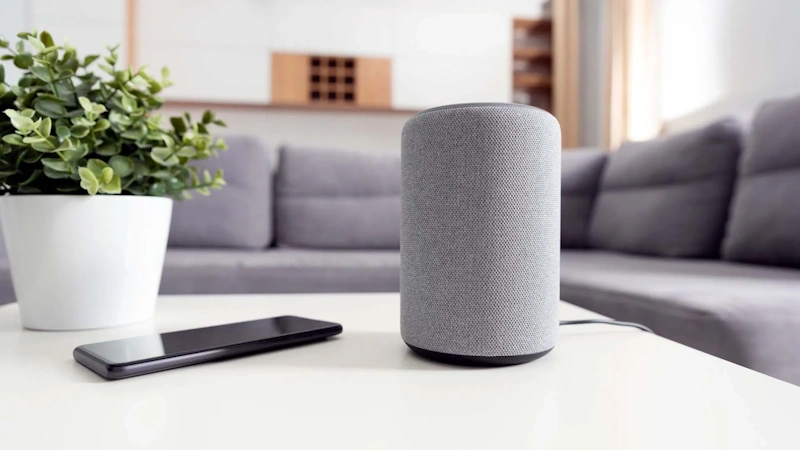
If you’re starting your smart home journey with a single device, make it a smart speaker. These devices serve as the command center controlling everything else, the interface enabling voice control throughout your home, the hub connecting disparate devices and platforms, and the foundation upon which you’ll build your entire smart home ecosystem.
Smart speakers provide immediate value even before adding other devices. They answer questions instantly—weather forecasts, news updates, general knowledge, calculations, conversions, and definitions. They play music, podcasts, and audiobooks from streaming services or your personal library. They set timers, alarms, and reminders through simple voice commands. They make hands-free phone calls and send messages. They provide entertainment with games, jokes, stories, and interactive experiences.
As you add more smart devices, your speaker’s value multiplies exponentially. Instead of finding your phone, unlocking it, opening an app, and navigating to controls for each device, you simply speak commands: “Turn off all the lights,” “Set the thermostat to 68 degrees,” “Lock the front door,” “Show me the doorbell camera,” “Start the robot vacuum.” The convenience of voice control transforms smart home technology from novelty to necessity—once you experience it, manual app control feels primitive and frustrating.
Smart speakers also enable automation through voice-activated routines. Create a “Good morning” routine that, when triggered by saying those two words, turns on specific lights, starts your coffee maker, reads your calendar appointments, provides weather and traffic information, and plays your favorite morning news podcast. A “Goodnight” routine locks doors, turns off lights, lowers the thermostat, and plays sleep sounds. These customizable voice-activated sequences orchestrate multiple devices with a single command, creating the seamless automation that defines modern smart homes.
Amazon Echo vs. Google Nest vs. Apple HomePod: Head-to-Head Comparison
Amazon Echo (4th Generation)
Amazon’s flagship smart speaker delivers excellent audio quality in an attractive spherical design with LED light ring providing visual feedback. The Echo offers superior smart home compatibility with virtually every device and platform supporting Alexa integration, making it the most versatile choice for controlling diverse devices from multiple manufacturers.
Alexa excels at smart home control with intuitive voice commands, straightforward setup processes, and reliable performance. The Echo’s built-in Zigbee hub enables direct control of compatible devices without additional hubs—a significant advantage. At approximately $100 (frequently on sale for $50-70), the Echo 4th Gen provides outstanding value.
However, Alexa’s conversational abilities lag behind Google Assistant. Complex questions, follow-up queries, and nuanced requests often confuse Alexa or produce irrelevant responses. Information quality is acceptable but not exceptional—Alexa pulls from various sources with inconsistent reliability. Privacy concerns also persist regarding Amazon’s data collection practices, though recent updates provide more transparency and control over recordings.
Best for: Users prioritizing smart home control and device compatibility, budget-conscious shoppers, anyone wanting the most flexible platform for future expansion.
Google Nest Audio
Google’s smart speaker emphasizes superior AI capabilities and exceptional voice recognition. Google Assistant handles complex, conversational interactions far better than Alexa, understanding context, managing follow-up questions naturally, and providing intelligent, relevant responses. For information retrieval, Google Assistant is unmatched—leveraging Google’s search engine and knowledge graph to answer questions with accuracy and detail exceeding competitors.
The Nest Audio produces impressive sound quality with strong bass and clear vocals despite its compact size. Google’s natural language processing means you can speak normally without memorizing specific command phrases—the system understands intent even when phrasing varies. Integration with Google services (Calendar, Maps, YouTube) is seamless and powerful.
Smart home compatibility is good but not as comprehensive as Alexa. Some devices and manufacturers prioritize Alexa integration over Google, occasionally limiting options. The Nest Audio lacks a built-in smart home hub, requiring separate hubs for Zigbee devices. Privacy concerns similar to Amazon exist, though Google’s privacy controls have improved. Pricing at $100 is competitive but less frequently discounted than Amazon Echo.
Best for: Android users, Google services enthusiasts, anyone prioritizing intelligence and information retrieval, users wanting the most capable voice assistant.
Apple HomePod mini
Apple’s compact smart speaker delivers surprisingly powerful audio quality, impressive bass from its small form factor, and seamless integration across the Apple ecosystem. HomePod mini excels at privacy and security with local processing of many voice commands, end-to-end encryption of communications, and minimal data collection—a significant advantage for privacy-conscious users.
For Apple users, the integration is magical. Hand off music from iPhone to HomePod with a tap. Use HomePod as intercom throughout your home. Receive personalized responses based on voice recognition. Control devices with Apple Watch or iPhone automatically. Access HomeKit-compatible smart home devices with Siri commands.
However, limitations are substantial. HomeKit device selection is the smallest of the three ecosystems—many popular smart home brands don’t support Apple’s platform. Siri capabilities lag significantly behind Google Assistant and even Alexa, struggling with complex requests, misunderstanding commands more frequently, and providing less helpful information. The HomePod mini requires an iPhone or iPad for setup and management—Android or Windows users cannot access the platform at all.
At $99, the HomePod mini offers reasonable value for Apple users but poor value for anyone outside the ecosystem due to its substantial limitations.
Best for: Apple ecosystem devotees, privacy-focused users, anyone with iPhone, iPad, and Mac who values seamless cross-device integration.
Strategic Placement: Multi-Room Audio and Whole-Home Control
A single smart speaker in your living room provides limited utility. The real power emerges when you deploy multiple speakers throughout your home, creating a voice-controlled network accessible from every room. This multi-speaker approach enables whole-home audio (synchronized music playback across rooms), room-specific control (commands affect only the room you’re in), enhanced voice coverage (the nearest speaker responds to commands), improved sound distribution (stereo pairing and surround sound configurations), and comprehensive automation (routines can target specific rooms or entire home).
Strategic placement recommendations:
Kitchen: Essential location where hands-free control matters most. While cooking, you’re frequently touching raw ingredients, handling hot items, or using utensils—voice control for timers, conversions, recipe instructions, and music is invaluable. Place the speaker on a counter away from the stove to prevent heat damage and cooking splatter.
Living Room: Central location for entertainment control, music playback, and general voice assistance. Consider higher-quality speakers here for better audio during music listening and movie watching. Position away from TV speakers to prevent voice command interference from TV audio.
Bedroom: Morning alarm and wake-up routines, sleep sounds and meditation, controlling bedroom lights and climate, and nightstand convenience for late-night questions or commands. Privacy considerations matter here—some people disable bedroom speakers or microphones when not in use.
Home Office: Hands-free productivity tools—setting reminders, managing calendar, making calls, controlling desk lighting, and background music during work. Essential for remote workers managing schedules, meetings, and tasks.
Bathroom (optional): Convenient for morning routines—news briefings during showers, music while getting ready, hands-free timers for teeth brushing or skincare routines. Ensure speakers are rated for moisture resistance (IP rating) if placing near showers or baths.
Start with 2-3 speakers in high-traffic areas (kitchen, living room, bedroom), then expand based on usage patterns and needs. Most people find 4-6 speakers optimal for typical homes, providing coverage without excessive cost or maintenance.
Shop on AliExpress via link: wholesale-smart-speaker-alexa
3. Smart Lighting Systems: Illuminating Your Home with Intelligence
Why Smart Lighting Provides the Biggest Impact for Investment
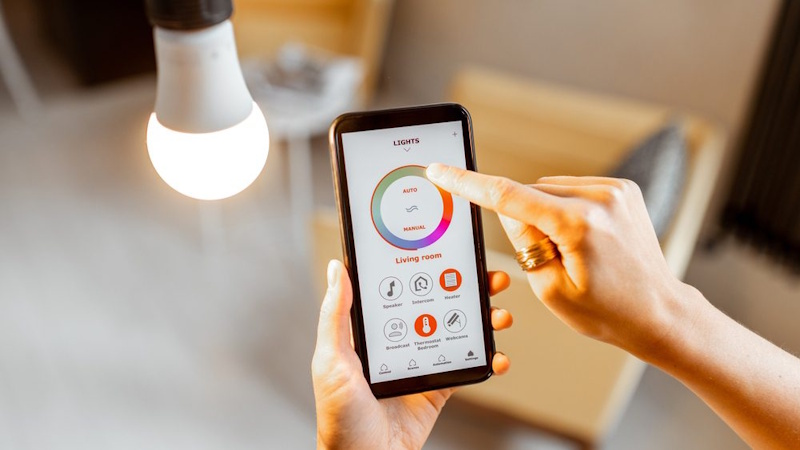
Smart lighting represents the sweet spot of home automation—relatively affordable, immediately noticeable, easy to install, broadly applicable throughout your home, and providing both practical benefits and enhanced ambiance. For many people, smart lighting is the gateway drug to comprehensive smart home adoption because the advantages are obvious and the implementation is straightforward.
Convenience: Control lights from anywhere—turn off forgotten lights after leaving home, illuminate your house before arriving, manage all lights from bed without walking around the house, and adjust lighting without leaving your seat or interrupting activities.
Automation: Lights turn on automatically at sunset and off at sunrise. Motion sensors illuminate rooms as you enter and turn off after you leave. Schedules ensure lights activate at specific times without manual intervention. Vacation mode randomly turns lights on and off, simulating occupancy to deter break-ins.
Ambiance and Mood: Adjustable brightness (dimming) and color temperature (warm to cool white) transform room atmosphere instantly. Cool, bright light energizes morning routines. Warm, dimmed light creates relaxing evening environments. Color-changing bulbs add creative possibilities—purple for movie nights, blue for concentration, red for romantic dinners, seasonal colors for holidays.
Energy Efficiency: LED smart bulbs consume 75-85% less energy than traditional incandescent bulbs while lasting 15-25 years with normal use. Automation prevents lights from running unnecessarily—no more leaving lights on all day in empty rooms. Dimming capabilities reduce energy consumption even further. Most users see measurable electricity cost reductions from smart lighting alone.
Enhanced Security: Automated and randomized lighting patterns when you’re away make homes appear occupied, deterring opportunistic criminals who target obviously vacant properties. Integration with security systems can trigger lights when motion is detected outside, flooding areas with light to discourage intruders.
Smart Bulbs vs. Smart Switches: Choosing Your Approach
Two fundamentally different approaches to smart lighting exist, each with distinct advantages, limitations, and ideal use cases.
Smart Bulbs Approach
Smart bulbs contain wireless connectivity and intelligence within the bulb itself. You replace existing bulbs with smart versions, leave existing light switches in the “on” position, and control lights via apps, voice assistants, or automation.
Advantages:
- Individual bulb control—different bulbs in the same fixture can have different colors or brightness
- No electrical work required—simple screw-in installation anyone can do
- Portable—take bulbs with you if you move
- Color-changing capabilities (in color bulbs) not possible with smart switches
- Ideal for renters who can’t modify electrical wiring
- Per-bulb dimming even with non-dimmable fixtures
Disadvantages:
- More expensive per light point than smart switches when multiple bulbs controlled by one switch
- Wall switch must remain “on” (turning off wall switch disconnects power, disabling smart functionality)
- Battery-powered devices can’t use wall switch to physically cut power
- Requires replacing every bulb individually as you expand
Best for: Renters, specific fixtures requiring individual bulb control, installations where color-changing lights desired, starter smart lighting systems, anyone wanting simplicity without electrical work.
Smart Switches Approach
Smart switches replace traditional wall switches, adding wireless connectivity and intelligence at the switch location. Once installed, any bulb connected to that switch becomes controllable via app, voice, and automation—no smart bulbs required.
Advantages:
- More cost-effective for controlling multiple bulbs from one switch (one $40 switch vs. three $15 bulbs)
- Works with any standard bulb—no need for expensive smart bulbs
- Physical switch remains functional while adding smart control
- Cleaner aesthetic—no bulb-specific limitations
- Better for permanent installations in homes you own
- More reliable—fewer points of wireless failure
Disadvantages:
- Requires electrical work (though relatively simple for DIY-comfortable homeowners)
- All bulbs on same switch controlled together—no individual bulb adjustment
- Cannot change colors—only on/off/dimming
- Permanent installation not ideal for renters
- Requires neutral wire in some cases (older homes sometimes lack this)
Best for: Homeowners, controlling multiple bulbs from single switches, permanent installations, cost-effective whole-home lighting, anyone wanting maximum reliability.
Hybrid Approach (Recommended)
Most smart home enthusiasts combine both approaches strategically:
- Smart switches for general room lighting (overhead fixtures, can lights)
- Smart bulbs for accent lighting, lamps, and areas where color-changing capability desired
This hybrid maximizes benefits while minimizing costs and limitations of each approach.
Top Smart Lighting Brands and Ecosystem Compatibility
Philips Hue: The gold standard of smart lighting, Hue offers exceptional reliability, the widest selection of bulb types and form factors, excellent color accuracy and brightness, robust third-party integrations, and proven long-term support. Hue requires the Hue Bridge hub (approximately $60), adding upfront cost but providing superior reliability and performance compared to Wi-Fi-only solutions. Hue works with all three major ecosystems (Alexa, Google, HomeKit).
Hue bulbs are premium-priced ($15-60 per bulb depending on type) but offer unmatched quality and longevity. For serious smart lighting installations, Hue is worth the investment. The ecosystem also includes light strips, outdoor lighting, smart buttons, and motion sensors.
LIFX: Direct Wi-Fi bulbs requiring no hub, LIFX offers bright, vivid colors, simple setup, and good reliability at mid-range prices ($20-50 per bulb). LIFX bulbs produce some of the brightest output in the smart bulb market, making them ideal for rooms requiring substantial illumination. Color saturation and accuracy are excellent, particularly for creative applications.
However, each bulb connects to Wi-Fi individually, potentially crowding your network with many devices. Reliability is generally good but not quite matching Hue’s consistency. LIFX works with Alexa and Google but HomeKit support is limited.
Wyze Bulbs: Ultra-budget option ($8-15 per bulb) providing basic smart lighting functionality. Wyze bulbs offer decent brightness, acceptable color options, and simple app control at extremely low prices—perfect for trying smart lighting without significant investment. However, color accuracy, brightness, and reliability lag behind premium options. Wyze bulbs work with Alexa and Google but not HomeKit.
For rental properties, guest rooms, closets, or anywhere premium quality isn’t critical, Wyze provides adequate functionality at unbeatable prices.
Sengled: Another budget-friendly option ($10-20 per bulb) offering better quality than Wyze but lower cost than Hue or LIFX. Sengled bulbs are reliable, reasonably bright, and work with Alexa and Google (some models support HomeKit). Sengled offers both Wi-Fi and Zigbee options—the Zigbee versions require a hub but integrate well with Philips Hue or SmartThings systems.
Sengled represents a quality middle ground for budget-conscious buyers wanting better performance than ultra-cheap options without premium pricing.
Smart Switch Recommendations:
Lutron Caseta: Premium smart switches with bulletproof reliability, excellent build quality, and the most comprehensive ecosystem support (Alexa, Google, HomeKit, and virtually every smart home platform). Caseta uses a proprietary wireless protocol requiring the Caseta Smart Bridge, but the reliability justifies this requirement. Professional-grade quality costs $50-80 per switch, positioning Caseta as a premium option.
TP-Link Kasa: Mid-range switches ($20-40) offering Wi-Fi connectivity without hubs, simple installation, and reliable performance. Kasa switches work with Alexa and Google but not HomeKit. Build quality is good though not matching Lutron’s premium feel. Excellent value for cost-conscious smart switch implementations.
GE/Jasco: Budget-friendly Z-Wave and Zigbee switches ($25-45) requiring hubs but offering excellent compatibility and reliability. These switches integrate well with SmartThings, Hubitat, and other advanced smart home hubs. Good choice for anyone building hub-based systems rather than relying on Wi-Fi.
Shop on AliExpress via link: wholesale-smart-led-bulbs-wifi
4. Smart Security Devices: Protecting What Matters Most
The Evolution of Home Security Technology
Traditional home security systems required professional installation, long-term contracts with monitoring companies, expensive monthly fees, complex equipment, and significant upfront costs often exceeding $1,000-2,000. These systems locked homeowners into multi-year contracts with early termination penalties, created dependence on monitoring companies for basic functionality, and offered limited remote access and control.
Smart security has revolutionized this landscape completely. Modern systems feature DIY installation taking minutes rather than hours or days, no contracts or commitments required, optional professional monitoring (typically $10-20 monthly vs. $40-60 for traditional systems), complete remote access via smartphones from anywhere in the world, integration with other smart home devices creating comprehensive automation, and total costs often under $500 for comprehensive coverage.
The democratization of home security technology means that every homeowner and renter can now afford professional-grade security without breaking the bank or signing their lives away in lengthy contracts. The question is no longer whether you can afford security—it’s which components provide the most value for your specific needs and situation.
Smart Security Cameras: Your Eyes Everywhere
Video Doorbells: The Front Door Revolution
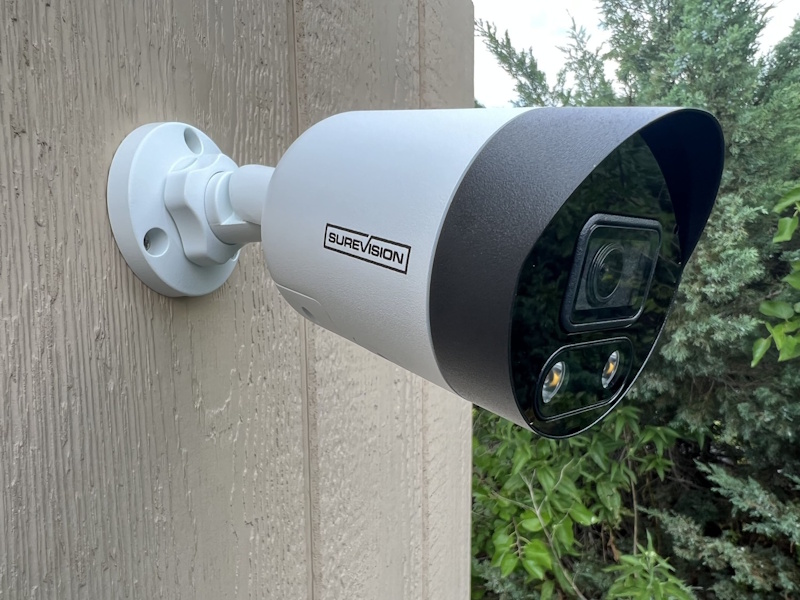
Video doorbells may be the single most impactful smart security device, providing immediate visual identification of visitors, package delivery monitoring, deterrence of porch pirates and solicitors, and recorded evidence of front door activity.
Ring Video Doorbell (Battery or Wired): The category leader, Ring offers reliable performance, decent video quality (1080p), reasonable battery life (6-12 months per charge), and strong ecosystem integration with Alexa. Ring requires a subscription ($4 monthly or $40 annually per device) for video recording—without subscription, you get only live view and instant alerts but no playback capability.
The Ring app is intuitive and responsive. Motion detection is customizable with adjustable zones and sensitivity. Two-way audio quality is adequate for conversations. Night vision performs acceptably. Installation is straightforward whether battery-powered (no wiring) or hardwired to existing doorbell wiring (no battery charging required).
Google Nest Doorbell (Battery): Premium option offering superior video quality (HDR), better AI recognition (people, packages, vehicles), intelligent alerts, and seamless Google ecosystem integration. The Nest Doorbell also requires subscription ($6 monthly or $60 annually per device) for extended video history—without subscription, you get 3 hours of rolling event history.
Video quality noticeably exceeds Ring, particularly in challenging lighting conditions where HDR makes a significant difference. Battery life is shorter than Ring (2-4 months), requiring more frequent charging. The Nest app is excellent, and Google Assistant integration enables sophisticated automation and notifications.
Arlo Video Doorbell: Another premium option with excellent video quality (HDR, 1:1 aspect ratio showing head to toe), advanced motion detection, and clear two-way audio. Arlo requires subscription ($3 monthly per device or $10 monthly for unlimited devices) for video recording. Battery life is moderate (4-6 months). Arlo works with all three major ecosystems (Alexa, Google, HomeKit).
Budget Option - Wyze Video Doorbell: Incredibly affordable ($30-45) with surprising quality considering the price. Wyze offers free rolling 14-day video storage (limited to 12-second clips with 5-minute cooldown), decent 1080p video, and acceptable performance. The low cost makes it perfect for trying video doorbell technology without significant investment. However, build quality, reliability, and feature sophistication lag behind premium options.
Outdoor Security Cameras: Perimeter Monitoring
Recommendation - Arlo Pro 4: Wireless battery-powered cameras offering excellent video quality (2K HDR), powerful spotlights, clear color night vision, accurate AI detection (people, vehicles, animals, packages), and weather-resistant construction. Battery life is good (3-6 months depending on activity and settings). Arlo’s subscription ($10 monthly for unlimited cameras or $3 per camera) includes 30-day video history, advanced AI features, and cloud storage.
The flexibility of completely wireless installation (no power cables, no network cables) enables camera placement anywhere—in trees, under eaves, on fences, on detached structures. Magnetic mounts make installation and repositioning trivial. Arlo cameras integrate with all major ecosystems and support IFTTT for advanced automation.
Budget Option - Wyze Cam Outdoor: Incredibly affordable complete camera kit ($50 including camera and base station) offering decent 1080p video, adequate night vision, basic AI detection, and weatherproof construction. Battery life is moderate (3-6 months). Wyze offers free limited video storage (12-second clips, 5-minute cooldown) or unlimited recording with subscription ($2 monthly per camera).
Quality and reliability don’t match premium options, but at a fraction of the cost, Wyze Cam Outdoor provides functional security monitoring for budget-conscious users. Perfect for monitoring less critical areas or supplementing premium cameras at main entry points.
Indoor Security Cameras: Interior Monitoring
Indoor cameras serve multiple purposes beyond security: pet monitoring while away, baby monitors with smartphone access, elderly care checking on aging relatives remotely, and general home monitoring during vacations.
Recommendation - Wyze Cam v3: Outstanding value at $20-30, offering 1080p video, color night vision, motion and sound detection, free rolling 14-day event storage, and tiny form factor. Wyze Cam v3 is technically rated for outdoor use (with power cable protection) but excels as an indoor camera. At this price point, you can deploy multiple cameras throughout your home affordably.
Premium Option - Nest Cam (Indoor, Wired): Superior video quality (1080p HDR), excellent AI recognition, intelligent alerts, and seamless Google ecosystem integration. Requires subscription for video history. At $100, the Nest Cam is pricier than budget options but delivers noticeably better performance, reliability, and features.
Smart Locks: Keyless Entry and Remote Access
Smart locks eliminate keys, enabling keyless entry via codes, smartphone apps, or automatic unlocking when you approach with your phone. They provide temporary access codes for guests, service providers, or short-term rental guests, remote locking/unlocking from anywhere, activity logs showing who entered and when, and integration with security systems and voice assistants.
August Wi-Fi Smart Lock (4th Generation): Retrofit design installing over your existing deadbolt, preserving the exterior appearance while adding smart functionality inside. This design is ideal for renters or anyone wanting smart lock benefits without exterior hardware changes. August offers excellent app experience, reliable auto-lock/unlock functionality, and strong ecosystem compatibility (Alexa, Google, HomeKit).
The August lock mounts on the interior side of your door using the existing deadbolt hardware. Installation takes 10-15 minutes without tools beyond a screwdriver. The exterior remains unchanged—visitors and delivery personnel see your original lock while you enjoy smart access from inside. August integrates beautifully with August doorbell cameras, creating comprehensive entry point monitoring and control.
Schlage Encode Smart Wi-Fi Deadbolt: Full smart lock replacement with both interior and exterior components, offering built-in Wi-Fi (no hub required), excellent build quality and security, simple keypad entry with up to 100 access codes, and compatibility with Alexa, Google, and Ring (but not HomeKit). Schlage is a trusted lock manufacturer with century-long reputation for security and durability.
The Encode deadbolt feels substantial and secure—not flimsy like some smart locks. The keypad is backlit for nighttime visibility. Battery life is excellent (typically 6-12 months on 4 AA batteries). Installation requires replacing your existing deadbolt entirely (straightforward for anyone comfortable with basic DIY).
Yale Assure Lock 2: Premium smart lock offering beautiful design, touchscreen keypad with customizable backlight colors, exceptional build quality, module-based system (swap communication modules to work with different ecosystems), and compatibility with all major platforms depending on module installed (Wi-Fi, Z-Wave, Zigbee).
Yale’s modular approach is clever—if you switch smart home ecosystems or want to change connectivity protocols, you replace only the communication module (approximately $50) rather than the entire lock. The touchscreen interface is intuitive and modern. Build quality is outstanding—this feels like a premium lock because it is one.
Smart Security Systems: Comprehensive Home Protection
SimpliSafe Home Security System: Best overall DIY security system offering professional monitoring (optional, $18-28 monthly), no contracts or commitments, easy self-installation, reliable performance, and comprehensive component selection (entry sensors, motion detectors, glass break sensors, smoke detectors, water sensors, panic buttons).
SimpliSafe systems start around $200 for basic kits and scale up to $500+ for comprehensive coverage. You can self-monitor for free using smartphone alerts or add professional 24/7 monitoring with automatic emergency dispatch. The system works during internet and power outages using cellular backup and battery backup (with monitoring plan).
Installation is genuinely simple—adhesive mounts for sensors, plug-in base station, smartphone app for configuration. No drilling, no wiring, no professional installation required. SimpliSafe works with Alexa and Google but not HomeKit.
Ring Alarm Pro: Integrated security system with built-in eero Wi-Fi 6 router, creating a comprehensive home security and networking solution. Ring Alarm includes entry sensors, motion detectors, keypad, base station with battery and cellular backup, and seamless integration with Ring doorbells and cameras. Professional monitoring costs $20 monthly (includes unlimited Ring camera recording).
The Ring ecosystem’s tight integration is its strength—when the alarm triggers, Ring cameras automatically record, Ring doorbells provide visual verification, and Alexa devices throughout your home can announce alerts. Setup is straightforward, reliability is good, and the Ring app provides centralized control over all security components.
Shop on AliExpress via link: wholesale-smart-door-lock-wifi
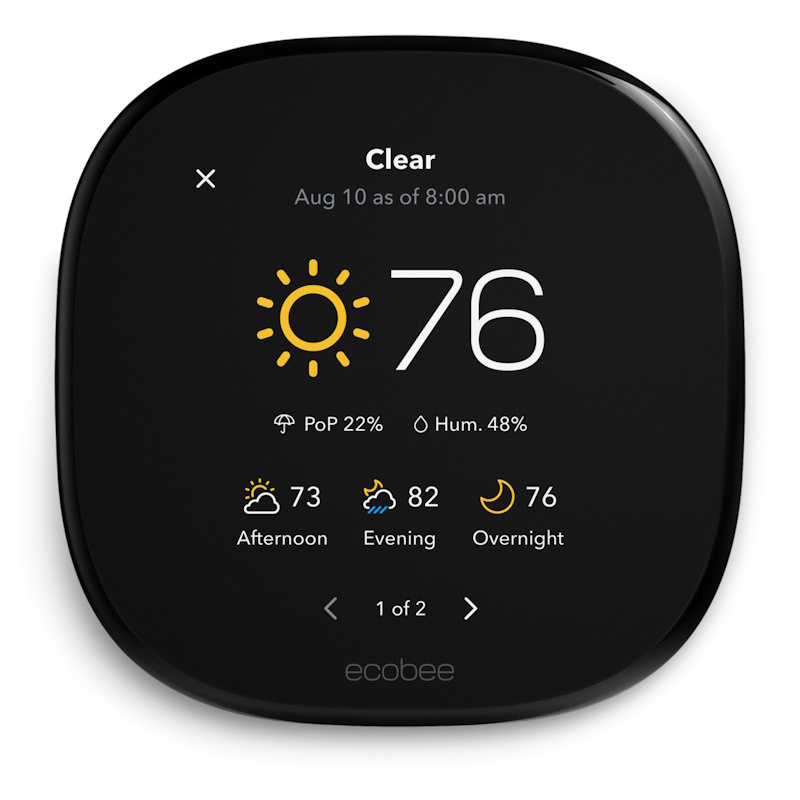
5. Smart Climate Control: Comfort and Efficiency Combined
Smart Thermostats: The Highest ROI Smart Home Investment
Smart thermostats may provide the best return on investment of any smart home device, potentially paying for themselves within 1-2 years through energy savings alone. According to studies, smart thermostats reduce heating and cooling costs by an average of 10-23%, translating to $130-$145 annual savings for typical homes. For households with higher energy bills or extreme climates, savings can exceed $300 annually.
Beyond energy savings, smart thermostats provide remote temperature control from anywhere, automated scheduling matching your routines, learning capabilities adapting to your preferences automatically, energy usage reports and insights, weather-aware adjustments, and integration with voice assistants and smart home ecosystems.
Google Nest Learning Thermostat (3rd Generation): The premium choice featuring beautiful design, intuitive interface, excellent learning algorithms, and comprehensive energy reports. The Nest Learning Thermostat actually learns your schedule and temperature preferences over the first few weeks, automatically creating a schedule that matches your habits. Manual programming isn’t required—the thermostat observes when you adjust temperatures and when you’re home or away, building an optimized schedule automatically.
The Nest app is outstanding, providing detailed energy history, tips for additional savings, and remote control from anywhere. The thermostat’s display is gorgeous—a bright, color screen showing time, temperature, and weather. Nest works with Alexa and Google Assistant (obviously) but HomeKit support is absent (Google removed it after acquiring Nest).
At approximately $250, the Nest Learning Thermostat is expensive but delivers premium experience and proven savings. Installation is usually straightforward for anyone comfortable with basic electrical work, though professional installation is available through Nest.
Ecobee SmartThermostat with Voice Control: Nest’s primary competitor offering comparable features at similar pricing with some distinct advantages. Ecobee includes Alexa voice assistant built directly into the thermostat, functioning as a full Echo device. Ecobee also includes a remote temperature sensor in the box (Nest charges $40 for sensors), enabling multi-room temperature averaging for more balanced heating and cooling.
Ecobee’s interface is different from Nest—more focused on data and manual control rather than automated learning. Some users prefer this approach, feeling more in control of their system. Ecobee works with all three major ecosystems (Alexa, Google, HomeKit), making it the best choice for HomeKit users wanting a premium smart thermostat.
Energy savings are comparable to Nest. Build quality and reliability are excellent. The Ecobee app provides detailed energy reporting and insights. At $250, pricing matches Nest with the added value of the included remote sensor.
Amazon Smart Thermostat: Budget-friendly option at $60 offering basic smart thermostat functionality without premium features or advanced learning. The Amazon Smart Thermostat requires a C-wire (common wire) for power, which not all homes have—check compatibility before purchasing.
This thermostat offers remote control via Alexa app, basic scheduling, Alexa voice control, and energy-saving automation. The interface is simple—no fancy color screen, just basic LCD display. Learning capabilities are absent—you must manually program schedules. However, at a fraction of Nest or Ecobee’s cost, the Amazon Smart Thermostat brings smart HVAC control to budget-conscious homeowners.
The Amazon Smart Thermostat works with many HVAC systems (forced air, heat pump, multi-stage systems) but not all configurations—check compatibility before purchase. Installation is similar to other thermostats, though professional installation is recommended if you’re uncomfortable with electrical work.
Considerations for Thermostat Selection:
C-wire requirement: Many smart thermostats require a C-wire (common wire) providing constant power. Older thermostats often don’t use C-wires, but the wire may exist in your wall without being connected. Some thermostats (like Google Nest) include workarounds for homes without C-wires, while others absolutely require it. Check your current thermostat wiring before purchasing.
HVAC compatibility: Not all thermostats work with all HVAC systems. Most support standard forced-air furnaces and central air conditioning, but heat pumps, multi-stage systems, radiant heating, and other specialized systems may have limited compatibility. Verify compatibility before purchasing.
Multi-zone systems: Homes with multiple HVAC zones need multiple thermostats or specialized thermostats supporting multi-zone control. Factor this into budgeting and system planning.
Professional installation: While many homeowners comfortably install thermostats themselves, professional installation costs $100-200 and ensures proper configuration, wiring, and system compatibility. If you’re uncertain about your abilities or your HVAC system’s complexity, professional installation provides peace of mind.
Smart Fans and Air Quality Monitors
Smart Ceiling Fans: Modern ceiling fans with integrated smart controls offer remote operation, automated schedules, voice control, and integration with thermostats for comprehensive climate management. Brands like Hunter and Home Decorators Collection offer retrofit smart controllers converting existing fans to smart fans for $50-100, avoiding the need for complete fan replacement.
Smart fans complement air conditioning by circulating air more efficiently, enabling higher thermostat settings while maintaining comfort. The Department of Energy estimates that ceiling fans allow you to raise thermostat settings by 4°F without reduction in comfort, generating significant cooling cost savings.
Air Quality Monitors: Devices like Awair Element or Amazon Smart Air Quality Monitor ($70-150) measure VOCs (volatile organic compounds), particulate matter, CO2, temperature, and humidity, providing insights into indoor air quality and alerting when ventilation is needed. Integration with smart ventilation fans or HVAC systems enables automatic air quality management.
Poor indoor air quality affects health, sleep, cognitive performance, and comfort—yet most people have no objective measure of their air quality. These monitors provide data enabling informed decisions about ventilation, air purification, and humidity control.
Shop on AliExpress via link: wholesale-smart-thermostat-wifi
6. Smart Plugs and Power Management: Making Dumb Devices Smart
The Universal Smart Home Adapter
Smart plugs are the unsung heroes of home automation—inexpensive, versatile, and effective at adding smart functionality to virtually any device plugging into a standard outlet. For $10-25, a smart plug transforms “dumb” lamps, fans, space heaters, coffee makers, humidifiers, and countless other appliances into voice-controllable, remotely accessible, automatable devices.
The applications are limitless:
Lamps and lighting: Convert table lamps, floor lamps, string lights, and decorative lighting into smart devices without replacing bulbs or fixtures. Create automated lighting schedules, voice control bedside lamps, and integrate decorative lighting into scenes and routines.
Coffee makers: Program your coffee maker to start brewing automatically when your morning alarm goes off or when you issue a voice command from bed. Wake up to fresh coffee without touching anything—modern convenience at its finest.
Fans: Control fans remotely, create cooling schedules coordinating with thermostat settings, and automate based on temperature or time of day. Especially valuable for window fans, box fans, and tower fans lacking built-in smart controls.
Space heaters: Schedule heating for specific times (warm bathroom before morning shower, bedroom before bedtime), implement safety automations (automatically turn off after X hours), and control remotely to avoid wasting energy heating empty spaces.
Holiday decorations: Automate Christmas lights, Halloween decorations, and other seasonal displays with precise schedules and astronomical timers (on at sunset, off at midnight). Never manually plug and unplug decorations again.
Humidifiers and dehumidifiers: Schedule operation during specific hours, coordinate with humidity sensors, and control remotely to maintain optimal humidity levels without constant manual adjustment.
Electronics and entertainment: Eliminate vampire power draw from devices consuming electricity even when “off” by completely cutting power via smart plugs. Create “goodnight” routines that power down all entertainment systems, computers, and unnecessary electronics.
Energy monitoring: Many smart plugs include energy monitoring features showing real-time consumption and historical usage patterns, helping identify energy-wasting devices and quantify consumption.
Top Smart Plug Recommendations
Kasa Smart Plug Mini (TP-Link): Excellent all-around smart plug at $10-15 offering compact design (doesn’t block adjacent outlets), reliable Wi-Fi connectivity, responsive app, energy monitoring, and compatibility with Alexa and Google (not HomeKit). Kasa plugs have excellent long-term reliability and TP-Link’s established reputation for quality networking equipment.
The compact form factor is crucial—many smart plugs are so large they block both outlets in a standard duplex receptacle. Kasa Mini occupies minimal space, allowing two plugs in a single outlet or leaving adjacent outlets accessible.
Wemo Smart Plug: Premium option at $20-25 offering HomeKit support in addition to Alexa and Google compatibility, making it the best choice for Apple ecosystem users. Wemo plugs are reliable, well-made, and feature-rich. The Wemo app is intuitive and responsive.
Wemo’s “Away Mode” randomly turns connected devices on and off when you’re away, simulating occupancy for security purposes. This feature alone makes Wemo valuable for frequent travelers.
Amazon Smart Plug: Simple, affordable ($25, frequently $5-10 on sale) option exclusively for Alexa users. The Amazon Smart Plug offers no smartphone app or advanced features—control exclusively through Alexa app and voice commands. This simplicity is actually appealing for users fully committed to Alexa who don’t want multiple apps managing different devices.
The Amazon Smart Plug works only with Alexa and cannot integrate with Google or HomeKit ecosystems. If you’re certain about remaining in Amazon’s ecosystem, this plug offers great value. If there’s any chance of switching platforms, choose more flexible options like Kasa or Wemo.
Outdoor Smart Plug - Kasa Smart Outdoor Plug: Weather-resistant smart plug with two independently controlled outlets at $30-35, perfect for outdoor lighting, fountains, pool equipment, and holiday decorations. The rugged construction withstands rain, snow, and temperature extremes. Each outlet controls separately, enabling different schedules or automation for two devices from one plug.
Strategic Uses and Automation Ideas
Simulated occupancy for security: When traveling, create randomized schedules turning lamps on and off in various rooms at realistic times, making your home appear occupied. Studies show that visible signs of occupancy (lights cycling, TV flickering) significantly deter break-ins.
Energy-saving automation: Automatically power down entertainment centers, computer equipment, and other electronics during sleeping hours or when everyone leaves home, eliminating standby power consumption that accounts for 5-10% of residential electricity use.
Appliance scheduling: Program space heaters to warm spaces before you wake or arrive home, schedule dehumidifiers to run during off-peak electricity hours (if you have time-of-use billing), and operate pond pumps or pool equipment on optimal schedules.
Safety automation: Create time-based shutoffs for space heaters, curling irons, hair straighteners, or other heat-producing devices that pose fire risks if left on. Set maximum run-time limits providing safety backup if you forget to manually turn devices off.
Coordinated scenes: Include smart plugs in comprehensive scenes like “Movie Night” (turns on accent lighting, turns off overhead lights, powers on TV and sound system), “Good Morning” (starts coffee maker, turns on bathroom light, activates bedroom fan), or “Bedtime” (powers down all entertainment, turns off all lamps, activates white noise machine).
Shop on AliExpress via link: wholesale-smart-plug-wifi-outlet
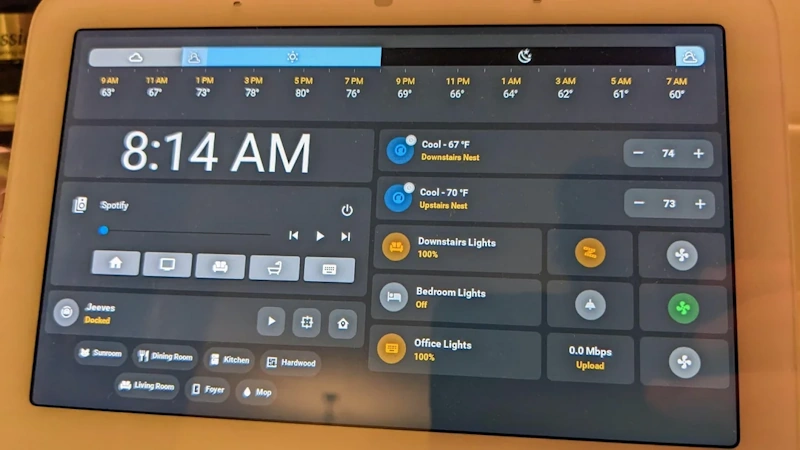
7. Smart Entertainment Systems: Immersive Experiences at Home
Smart TVs and Streaming Devices
Modern entertainment centers around streaming content, and smart technology enhances this experience through voice control, universal search across platforms, personalized recommendations, and seamless integration with other smart home devices.
Smart TVs vs. Streaming Devices: Most modern TVs include smart features—built-in apps for Netflix, Hulu, Amazon Prime Video, Disney+, and other streaming services. However, built-in TV smart platforms often suffer from sluggish performance, limited app selection, infrequent updates, and poor user interfaces compared to dedicated streaming devices.
Dedicated streaming devices like Roku, Fire TV, Apple TV, and Chromecast offer superior performance, regular software updates, wider app compatibility, better remote controls, and more responsive interfaces. Even with a smart TV, adding a quality streaming device dramatically improves the viewing experience while providing voice control, universal search, and smart home integration.
Roku Streaming Stick 4K ($30-50): Excellent value offering 4K HDR streaming, responsive interface, comprehensive app support, and universal search across streaming services. Roku’s platform-agnostic approach means it supports virtually all streaming services equally without favoring specific providers. The interface is intuitive and fast. The remote includes voice control (though not as sophisticated as Alexa or Google).
Roku works with Alexa and Google Assistant for voice control but doesn’t deeply integrate with smart home ecosystems. Roku is the best choice for users prioritizing streaming quality and app selection over smart home integration.
Amazon Fire TV Stick 4K ($35-50): Excellent Alexa integration, good 4K HDR streaming performance, competitive app selection, and seamless Amazon Prime Video integration. The Fire TV interface prominently features Amazon content, which some users find intrusive while Amazon Prime subscribers appreciate.
Voice control through Alexa is sophisticated and responsive. Fire TV integrates beautifully with other Alexa devices and smart home automation. If you’re committed to the Alexa ecosystem, Fire TV is the natural choice for streaming.
Apple TV 4K ($130-180): Premium streaming device offering the best performance, most polished interface, excellent remote with precise trackpad control, and perfect integration with Apple ecosystem. Apple TV supports all major streaming services (including Apple TV+), provides access to Apple Arcade gaming, and works flawlessly with iPhones, iPads, and Macs for screen mirroring and media sharing.
The price premium is substantial compared to Roku or Fire TV, but the experience quality justifies the cost for Apple users wanting the absolute best streaming experience. Apple TV is also the only streaming device with full HomeKit integration, enabling sophisticated home automation triggered by TV usage.
Smart Soundbars and Home Theater Audio
TV speakers are universally terrible—thin, muddy, lacking bass, and incapable of reproducing dynamic sound. A soundbar dramatically improves audio quality while smart features enable voice control, music streaming, and integration with your broader smart home ecosystem.
Sonos Beam (Gen 2) ($449): Premium compact soundbar offering excellent audio quality, Dolby Atmos support, integrated voice assistants (Alexa or Google Assistant), and multiroom audio capability with other Sonos speakers. The Beam Gen 2 delivers surprisingly powerful sound from its compact size, dramatically improving TV audio while adding music streaming and voice control capabilities.
Sonos’s multiroom audio is best-in-class—seamlessly stream synchronized music throughout your home using Sonos speakers in different rooms. The Sonos app is intuitive and supports virtually every music streaming service. HDMI eARC connection ensures compatibility with modern TVs and simplifies setup.
At $449, the Beam Gen 2 is expensive but delivers premium performance, build quality, and features justifying the investment for home theater enthusiasts.
Roku Smart Soundbar ($130-180): Budget-friendly soundbar with integrated Roku streaming device, combining two purchases into one at a competitive combined price. The Roku Smart Soundbar offers decent audio quality (significant improvement over TV speakers without approaching premium soundbar performance), full Roku 4K streaming functionality, and voice remote control.
This is the perfect solution for budget-conscious users wanting both improved TV audio and quality streaming in a single, simple device. Audio quality is acceptable rather than exceptional, but at this price point, expectations should be realistic.
Smart Universal Remotes
Logitech Harmony Elite ($250-350): High-end universal remote offering one-touch activity buttons (press “Watch Movie” and the system turns on TV, receiver, streaming device, sets correct inputs, and dims lights), comprehensive device compatibility (controls over 270,000 devices from 6,000+ brands), touchscreen interface, and sophisticated smart home integration with Alexa, Google, and Philips Hue.
The Harmony Elite includes both the handheld remote and the Harmony Hub enabling control via smartphone app and voice assistants even without the physical remote. Complex home theater systems with multiple devices benefit tremendously from Harmony’s ability to orchestrate everything with single button presses.
Setup requires time and patience—Harmony’s configuration process is detailed but rewards effort with seamless operation. For home theater enthusiasts managing receivers, speakers, gaming consoles, streaming devices, and smart home integration, Harmony Elite is worth every penny.
8. Smart Kitchen Appliances: Culinary Convenience and Efficiency
Smart Displays: The Kitchen Command Center
Smart displays combine smart speaker functionality with touchscreens, making them perfect for kitchens where visual information enhances voice interactions. Display recipes while cooking, watch video tutorials, view security camera feeds while preparing meals, make video calls hands-free, and control smart home devices with voice or touch.
Google Nest Hub (2nd Gen) ($100): Excellent kitchen display offering 7-inch touchscreen, superior Google Assistant capabilities, seamless integration with Google services (YouTube, Photos, Calendar), and sleep tracking functionality (using motion and sound sensors to analyze sleep without wearables).
The Nest Hub’s recipe integration is outstanding—voice search for recipes, step-by-step guidance with timers for each step, video playback showing cooking techniques, and ingredient scaling. The display auto-brightens/dims based on ambient light and time of day. Note that Nest Hub lacks a camera—Google intentionally omitted it for privacy, though this prevents video calling.
At $100, the Nest Hub offers exceptional value for kitchen use, particularly for Google ecosystem users.
Amazon Echo Show 8 (2nd Gen) ($130): Amazon’s mid-sized display featuring 8-inch HD touchscreen, integrated camera enabling video calls, good audio quality, and comprehensive Alexa functionality. Echo Show excels at shopping—easily add items to Amazon shopping lists or order products via voice.
Recipe integration is decent though not as polished as Google’s implementation. The Echo Show works well as a photo frame displaying Amazon Photos albums when not actively in use. Smart home control via touchscreen is intuitive for users who prefer touch over voice commands.
The Echo Show 8 is the best choice for Alexa ecosystem users wanting a kitchen display with video calling capability.
Smart Coffee Makers and Appliances
Smart Coffee Makers: Various brands offer Wi-Fi-enabled coffee makers ($150-300) with remote brewing control via smartphone apps, scheduling and automation (brew coffee automatically when your alarm goes off), and voice assistant integration. Popular options include Hamilton Beach Smart Coffee Maker, Atomi Smart Coffee Maker, and Keurig K-Supreme Plus Smart.
The convenience of waking up to fresh-brewed coffee without touching anything is genuinely delightful. Program brewing schedules during the week, trigger brewing with voice commands on weekends, and start brewing remotely when you’re headed home. For coffee enthusiasts, smart coffee makers provide daily quality-of-life improvements worth the modest price premium over standard machines.
Smart Instant Pots: The already-popular Instant Pot line now includes smart versions ($150-200) offering remote monitoring and control via smartphone apps, customizable cooking programs, voice assistant integration, and guided cooking with notifications. Monitor cooking progress from anywhere, receive alerts when food is done, and control settings remotely.
While not essential, smart features enhance convenience for busy households where timing meals around schedules requires flexibility. Start dinner cooking remotely 30 minutes before leaving work, ensuring hot food awaits your arrival.
Smart Refrigerators (Premium Investment): High-end smart refrigerators from Samsung, LG, and others ($2,000-4,000+) feature large touchscreen displays, internal cameras showing contents from smartphone app (useful while grocery shopping), food tracking and expiration reminders, music and entertainment streaming, and family hub functionality with calendars and notes.
Smart refrigerators represent substantial investment with modest practical benefit for most users. Internal cameras are novelty features used occasionally rather than daily essentials. Touchscreen functionality is convenient but not revolutionary. Unless you’re already purchasing high-end refrigerator and value these features specifically, standard refrigerators provide equal food preservation at fraction of cost.
9. Smart Home Hubs and Integration: Orchestrating Your Connected Home
When You Need a Smart Home Hub
Most consumers can build functional smart home systems using cloud-based platforms (Alexa, Google Home, Apple HomeKit) without dedicated hubs. Smart speakers serve as sufficient control centers for modest smart home deployments (10-20 devices) using primarily Wi-Fi-connected products.
However, certain situations benefit significantly from dedicated smart home hubs:
Large device deployments (30+ devices): Dedicated hubs handle numerous simultaneous connections more reliably than smart speakers, preventing performance degradation as device count grows.
Local control priority: Hubs like Hubitat and Home Assistant process automation locally without internet connectivity, providing faster response times, enhanced privacy, and continued functionality during internet outages.
Zigbee/Z-Wave devices: Using mesh protocol devices requires hubs for connectivity and control. While some smart speakers include Zigbee radios (Echo Plus, Echo Show 10), dedicated hubs provide more reliable Zigbee network management.
Advanced automation: Power users wanting complex automation rules, custom integrations, and sophisticated logic benefit from hubs offering programming capabilities beyond consumer platforms’ limitations.
Platform independence: Hubs enable device control regardless of manufacturer allegiances, creating unified systems incorporating devices from competing ecosystems.
Smart Home Hub Options
Samsung SmartThings Hub ($70-100): Mainstream hub offering Zigbee, Z-Wave, and Wi-Fi compatibility, intuitive SmartThings app, strong community support, and reasonable pricing. SmartThings works with virtually all major smart home devices and platforms, creating bridges between otherwise incompatible ecosystems.
Setup is straightforward for non-technical users. The app provides both simple automation rules for beginners and advanced capabilities for power users. SmartThings integrates with Alexa, Google Assistant, and (with limitations) HomeKit.
SmartThings represents the best hub choice for most users wanting to progress beyond basic smart home setups without diving into highly technical platforms.
Hubitat Elevation ($150): Advanced hub emphasizing local processing, privacy, and powerful automation capabilities. Hubitat runs automations locally (no cloud dependency), supports Zigbee and Z-Wave (no Wi-Fi control), enables complex automation rules rivaling professional systems, and prioritizes reliability and privacy.
The Hubitat platform targets technically capable users willing to invest time learning its capabilities. Setup and configuration require more technical knowledge than SmartThings. The interface is functional rather than beautiful. However, for power users demanding maximum automation sophistication and local control, Hubitat is unmatched at consumer price points.
Home Assistant (Free software, requires computer/Raspberry Pi): Open-source smart home platform offering unparalleled flexibility, infinite customization, support for virtually every device imaginable, and complete local control. Home Assistant runs on dedicated computers (Raspberry Pi is popular), functioning as comprehensive smart home operating system.
Home Assistant represents the ultimate power-user platform with steep learning curve and significant time investment required. Setup involves Linux, YAML configuration files, and troubleshooting technical issues. In exchange, you gain absolute control, privacy, and capabilities impossible with commercial platforms.
For technically inclined users willing to invest substantial effort, Home Assistant creates smart home systems rivaling professional installations at minimal hardware cost.
10. Installation and Setup Guide: Getting Started Successfully
Planning Your Smart Home Journey
Start small and expand gradually: Don’t attempt to automate your entire home immediately. Begin with 1-3 devices in high-impact categories (smart speaker, smart bulbs, smart plug), experience the benefits, learn the technology, and expand methodically.
Choose your ecosystem early: Committing to Alexa, Google, or HomeKit early simplifies future device selection and ensures compatibility. While many devices work across platforms, ecosystem-specific features, optimizations, and seamless integration favor staying within one family.
Prioritize reliability and compatibility: Established brands with proven track records and broad compatibility (Philips Hue lighting, Ecobee/Nest thermostats, Ring/Arlo security) provide better long-term value than unknown budget brands offering initial savings but questionable longevity and support.
Consider network requirements: Smart home devices demand robust Wi-Fi coverage throughout your home. If you experience Wi-Fi dead zones or unreliable connectivity, address networking infrastructure before adding numerous smart devices. Mesh Wi-Fi systems (eero, Google Nest Wifi, Netgear Orbi) solve coverage issues effectively.
Installation Best Practices
Read instructions completely before starting: Obvious but often ignored advice that prevents frustration and mistakes. Understand entire process before beginning installation.
Verify compatibility: Check device compatibility with your ecosystem, electrical system, HVAC system, or existing hardware before purchasing. Returns waste time and delay progress.
Update firmware immediately: After initial setup, check for and install firmware updates. Updates often fix bugs, add features, improve performance, and patch security vulnerabilities.
Use strong, unique passwords: Enable two-factor authentication where available. Smart home devices create security vulnerabilities if poorly protected—use your password manager to generate and store strong, unique passwords for every service and account.
Label and document: Maintain spreadsheet or note file documenting all smart home devices, installation dates, firmware versions, warranty information, and configuration details. When troubleshooting issues months later, documentation saves tremendous time.
Test thoroughly after installation: Verify all functionality before considering installation complete. Test voice control, app control, automation rules, and integration with other devices. Identify and resolve issues immediately rather than discovering problems weeks later.
11. Privacy and Security Considerations: Protecting Your Connected Home
Understanding Smart Home Vulnerabilities
Smart home devices create potential security and privacy risks that didn’t exist with traditional “dumb” home technology. Internet-connected cameras, microphones in every room, smart locks controlled remotely, and detailed behavioral data collected by various devices all introduce vulnerabilities requiring thoughtful management.
Potential privacy concerns:
- Always-listening microphones in smart speakers potentially recording private conversations
- Security cameras in intimate home spaces creating surveillance concerns
- Smart device companies collecting usage data, behavioral patterns, and personal information
- Third-party access to voice recordings and video footage
- Data breaches exposing personal information, home security details, or behavioral patterns
Potential security concerns:
- Hackers gaining access to security cameras, viewing live feeds or recorded footage
- Unauthorized remote access to smart locks enabling home intrusion
- Compromised smart home networks providing entry points to computers, phones, and personal data
- DDoS attacks using compromised smart home devices (your devices attacking others)
- Ransomware targeting smart home systems and demanding payment for restored access
Privacy Protection Best Practices
Review and adjust privacy settings: After installing devices, explore privacy settings carefully. Disable features you’re uncomfortable with. Limit data collection and sharing to essential functionality only.
Enable deletion options: Many platforms allow automatic deletion of voice recordings after certain periods. Google and Amazon offer “auto-delete after 3 months” options—enable these to minimize data retention.
Use mute buttons: Smart speakers include physical microphone mute buttons. Use them when privacy matters—during sensitive conversations, private moments, or anytime you don’t want potential listening.
Limit camera placement: Don’t install cameras in bedrooms, bathrooms, or other private spaces unless absolutely necessary for specific security concerns. The convenience doesn’t justify privacy invasion.
Understand Terms of Service: Actually read (or at least skim) privacy policies before accepting. Understand what data companies collect, how they use it, whether they share it with third parties, and what control you have over deletion.
Choose privacy-focused platforms: Apple HomeKit emphasizes privacy more than Amazon or Google, processing many commands locally and employing end-to-end encryption. If privacy is paramount, HomeKit deserves serious consideration despite smaller device selection.
Security Protection Best Practices
Secure your Wi-Fi network: Use WPA3 encryption (or WPA2 if WPA3 unavailable), strong Wi-Fi password, and hide network SSID broadcast. Consider separate guest network for smart home devices, isolating them from computers and phones.
Change default passwords immediately: Never leave devices with factory default passwords. Attackers target default credentials specifically—changing passwords eliminates this vulnerability.
Enable two-factor authentication: Every account and service supporting 2FA should have it enabled. The minor inconvenience during login prevents massive security breaches.
Update firmware regularly: Security patches address newly discovered vulnerabilities. Automatic updates are ideal—enable them when available. Otherwise, manually check monthly for updates.
Use unique passwords for everything: Password reuse means one breached service compromises all others using the same password. Password managers (1Password, Bitwarden, LastPass) make managing unique passwords for every service effortless.
Monitor device behavior: Check connected device lists on your router regularly. Unknown devices indicate potential unauthorized access requiring immediate investigation.
Segment network if possible: Advanced users can configure VLANs (virtual LANs) isolating smart home devices on separate network segments from computers and phones, limiting damage if smart home devices are compromised.
12. Building Your Smart Home on a Budget: Maximum Value Strategies
Prioritized Device Purchase Order
Phase 1 - Foundation ($150-300):
- One smart speaker for main living area: Amazon Echo or Google Nest Audio ($50-100)
- Smart bulbs or plugs for primary lighting: 3-4 Wyze bulbs or Kasa plugs ($30-60)
- One video doorbell: Wyze Video Doorbell ($40-50)
This foundation provides voice control, basic lighting automation, and entry point security monitoring—the highest-impact improvements for minimal investment.
Phase 2 - Expansion ($200-400):
- Smart thermostat: Amazon Smart Thermostat or Google Nest ($60-250, depending on model)
- Additional smart speaker for second room ($50-100)
- Smart lock: August or Schlage Encode ($150-250)
- More smart bulbs/plugs for additional rooms ($50-100)
This expansion adds significant energy savings (thermostat), enhanced security (smart lock), multi-room voice control, and broader lighting automation.
Phase 3 - Optimization ($300-500):
- Outdoor security camera: Wyze Cam Outdoor or Arlo ($50-150 per camera, typically need 2-3)
- Smart home hub if needed: SmartThings ($70)
- Smart soundbar for entertainment: Roku Smart Soundbar ($130-180)
- Additional smart devices addressing specific needs
This optimization phase adds perimeter security, entertainment upgrades, and advanced integration capabilities.
Money-Saving Strategies
Watch for sales aggressively: Smart home devices go on sale frequently, particularly during Black Friday, Cyber Monday, Amazon Prime Day, and other promotional periods. Amazon Echo devices regularly sell for 50-60% off retail. Building your smart home during major sales can save hundreds of dollars.
Start with ecosystem-matched devices: Amazon-branded devices (Echo speakers, Fire TV, Amazon Smart Plug, Amazon Smart Thermostat) bundle affordably and integrate seamlessly, providing budget-friendly entry into smart home technology without compatibility concerns.
Consider refurbished devices: Amazon, Google, and many manufacturers sell certified refurbished devices at substantial discounts (typically 20-40% off retail). These devices function identically to new products with manufacturer warranties—excellent value for budget-conscious buyers.
Buy multi-packs: Many manufacturers offer discounted multi-pack pricing. Smart bulbs, smart plugs, and security cameras often come in 2-4 packs with per-unit savings of 15-30%.
Embrace smart plugs: Rather than replacing every lamp, fan, and appliance with expensive smart versions, use $10-15 smart plugs converting existing devices to smart devices. This approach is far more cost-effective for most applications.
Conclusion: Your Smart Home Journey Begins Now
The smart home revolution has reached critical mass in 2026—technology is mature, prices are accessible, compatibility is largely solved, and real-world benefits are undeniable. The question is no longer “if” you should embrace smart home technology but “how quickly” and “which devices first.”
The devices discussed in this comprehensive guide represent the best smart home investments available today—products combining proven reliability, meaningful functionality, reasonable pricing, and broad compatibility. Whether you’re taking your first steps with a single smart speaker, building comprehensive automation throughout your home, or optimizing an existing system with strategic upgrades, these recommendations provide the foundation for an intelligent home enhancing daily life in concrete, measurable ways.
Start your journey today. Purchase that first smart speaker. Install those smart bulbs. Experience voice control and automation firsthand. You’ll quickly understand why smart home adoption is accelerating—because the technology works, improves life genuinely, and becomes indispensable once experienced.
Your intelligent home awaits. Build it thoughtfully, expand it strategically, and enjoy the convenience, efficiency, security, and delight that smart home technology delivers every single day.
Frequently Asked Questions
Q: Do I need to replace all my devices at once to have a smart home?
A: Absolutely not. Start with 1-3 devices providing immediate benefit, then expand gradually as you experience the advantages and identify additional opportunities for automation. Smart homes build incrementally, not all at once.
Q: Will smart home devices work if my internet goes out?
A: Depends on the device and configuration. Cloud-dependent devices (most Wi-Fi smart devices) lose remote access and cloud-based automation during internet outages but often retain local control via apps on your home network. Hub-based systems (Hubitat, Home Assistant) with local processing continue functioning entirely. Smart speakers lose voice assistant capabilities (which require internet for processing) but maintain local smart home control.
Q: Are smart home devices difficult to install?
A: Most smart home devices require no technical expertise—plug in smart speakers, screw in smart bulbs, plug smart plugs into outlets, mount security cameras with included hardware. Smart thermostats, smart switches, and smart locks involve slightly more complexity but are straightforward for DIY-comfortable homeowners following included instructions. Professional installation is available for devices you’re uncomfortable installing yourself.
Q: What happens if a company discontinues support for my smart devices?
A: This is a legitimate concern—some companies have discontinued smart home products, leaving early adopters with unsupported devices. Mitigate this risk by choosing established companies with track records and large user bases (Amazon, Google, Apple, Philips, Lutron) rather than unknown startups. Even if devices lose active development, they typically continue functioning with existing features, though new integrations and capabilities won’t be added.
Q: How much do smart home devices increase electricity consumption?
A: Very little. Smart devices in standby mode consume 1-5 watts typically—negligible compared to major appliances. Smart bulbs use 75-85% less electricity than incandescent bulbs they replace. Smart thermostats save far more energy through optimized HVAC control than the thermostat itself consumes. Overall, smart home technology reduces total household electricity consumption through efficiency improvements and automation eliminating waste.
Q: Can smart home devices be hacked?
A: Any internet-connected device has theoretical hacking vulnerability, but practical risk for average homeowners is low if basic security practices are followed (strong unique passwords, two-factor authentication, regular firmware updates, secured Wi-Fi network). Well-established manufacturers implement security measures protecting their devices and reputations. Risk is manageable with reasonable precautions.
Q: Do I need a hub, or can I use just a smart speaker?
A: Most people building modest smart home systems (10-30 devices) use only smart speakers as control centers without dedicated hubs. Hubs become beneficial for large deployments (30+ devices), Zigbee/Z-Wave device integration, local control priority, or advanced automation requirements. Start with smart speaker; add hub later if needs develop.
Q: What’s the best smart home ecosystem—Alexa, Google, or HomeKit?
A: No single best ecosystem for everyone. Alexa offers widest device compatibility and affordability. Google provides superior AI and information retrieval. HomeKit delivers best privacy and Apple ecosystem integration. Choose based on your priorities, existing devices, and ecosystem allegiances. Most devices support multiple platforms, so initial choice isn’t permanent lock-in.
Articles related:






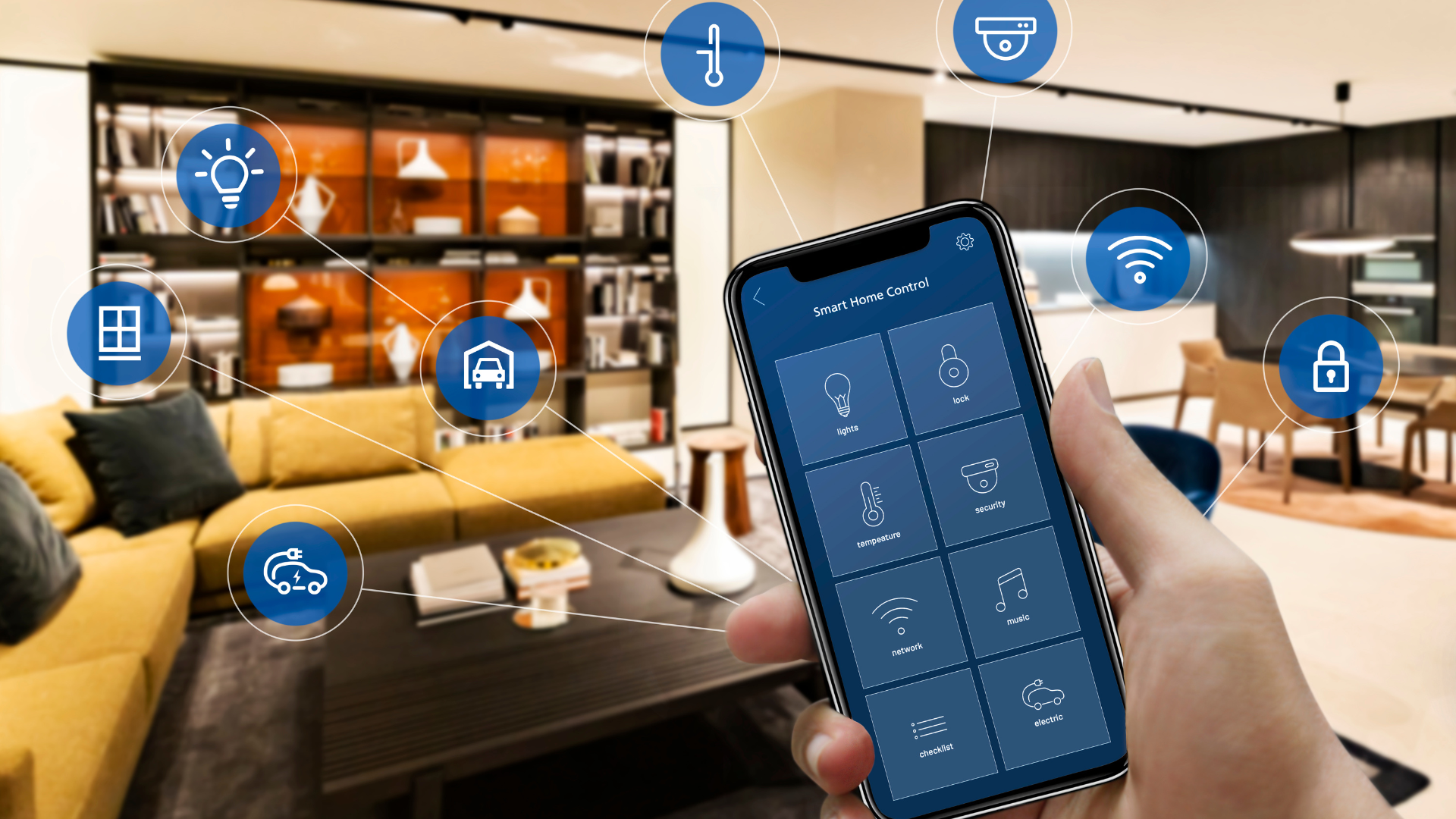
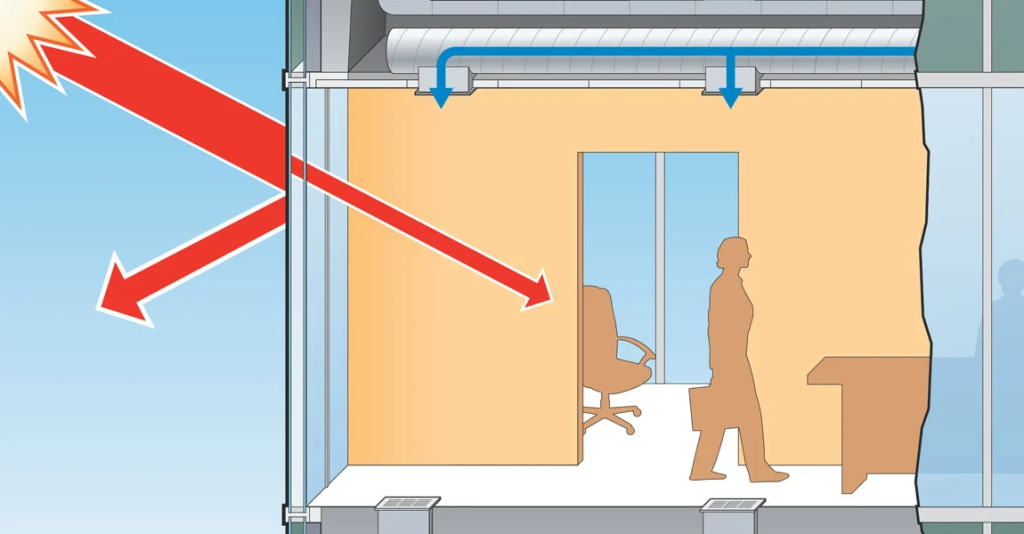
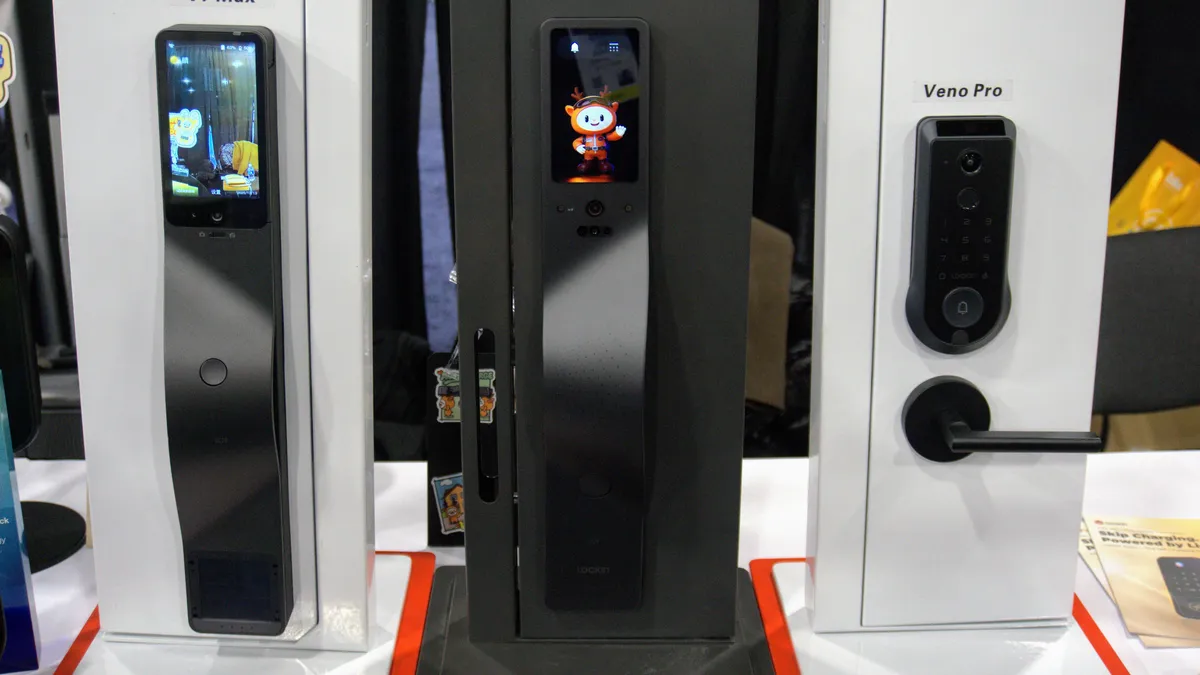



Tags
📧 Get More Articles Like This
Subscribe to receive product reviews and buying guides in your inbox!
We respect your privacy. Unsubscribe at any time.